The Brief
What
Schools were managing VET course applications manually — spreadsheets, email chains, no single source of truth. The task was to design a portal where enrolment officers could submit applications on behalf of entire student cohorts, keep track of where each one sat, and not lose their mind doing it.
User
A school enrolment officer juggling applications for an entire student cohort — often without a dedicated system, relying on manual processes that don't scale.
Potential Challenges
No digital system for tracking — everything lived in spreadsheets and email threads
Existing manual processes were too slow to handle applications at cohort scale
Wide range of tech-literacy — the portal had to work for everyone, not just the confident users
Build constraints that ruled out complex integrations from the start
Lean team with limited support — the design had to be self-explanatory
Objectives & Goals
Build a portal that lets schools submit student applications — individually or in bulk — without the friction of manual processes.
Design something usable at any tech-literacy level. No training manual required.
Establish a component library that keeps the experience coherent as the product grows.
Lock down data access properly — student records needed real authentication, not just a password.
User Needs
Submit applications for individual students or an entire cohort in a single flow.
Edit application details without starting over — course choices, contact info, preferences.
See exactly where each application sits without chasing anyone for an update.
Know when something changes — accepted, waitlisted, rejected — without having to check back manually.
Attach documents directly in the portal, no separate email attachments.
Pull a report on how the cohort is tracking, not rebuild one from a spreadsheet.
Key Questions
- 01
Walk me through how you manage applications today — what does that actually look like?
- 02
How long does it take to get through a single application? What about a full cohort?
- 03
Once you've submitted, how do you keep track of what's been accepted or rejected?
- 04
What tools are you using right now — spreadsheets, email, something else entirely?
- 05
Who else is involved in this process, and where do the handoffs happen?
- 06
Where does the current process break down for you?
- 07
If you could change one thing about how this works, what would it be?
- 08
What would make this genuinely easier to do every single day?
Journey Flow
Mapping the full flow from a school's intranet through to TAFE submission — tracing how an enrolment officer moves through the portal and where the key decisions happen.
School Intranet
Log in to Portal
Portal Dashboard
Quick access to: Application Submission, Application Status, Course Availability, Student Profiles
From the Dashboard
Bulk Submission
Upload multiple applications in one go
Individual Submission
Step through a single application from scratch
Student Profiles
Build out student profiles and keep them current
Applications
See the full picture across all active applications
Courses
Browse available courses — synced live with TAFE
Admin Profile
Manage account settings and access controls
Application(s) submitted to TAFE
Lo-Fidelity Wireframes
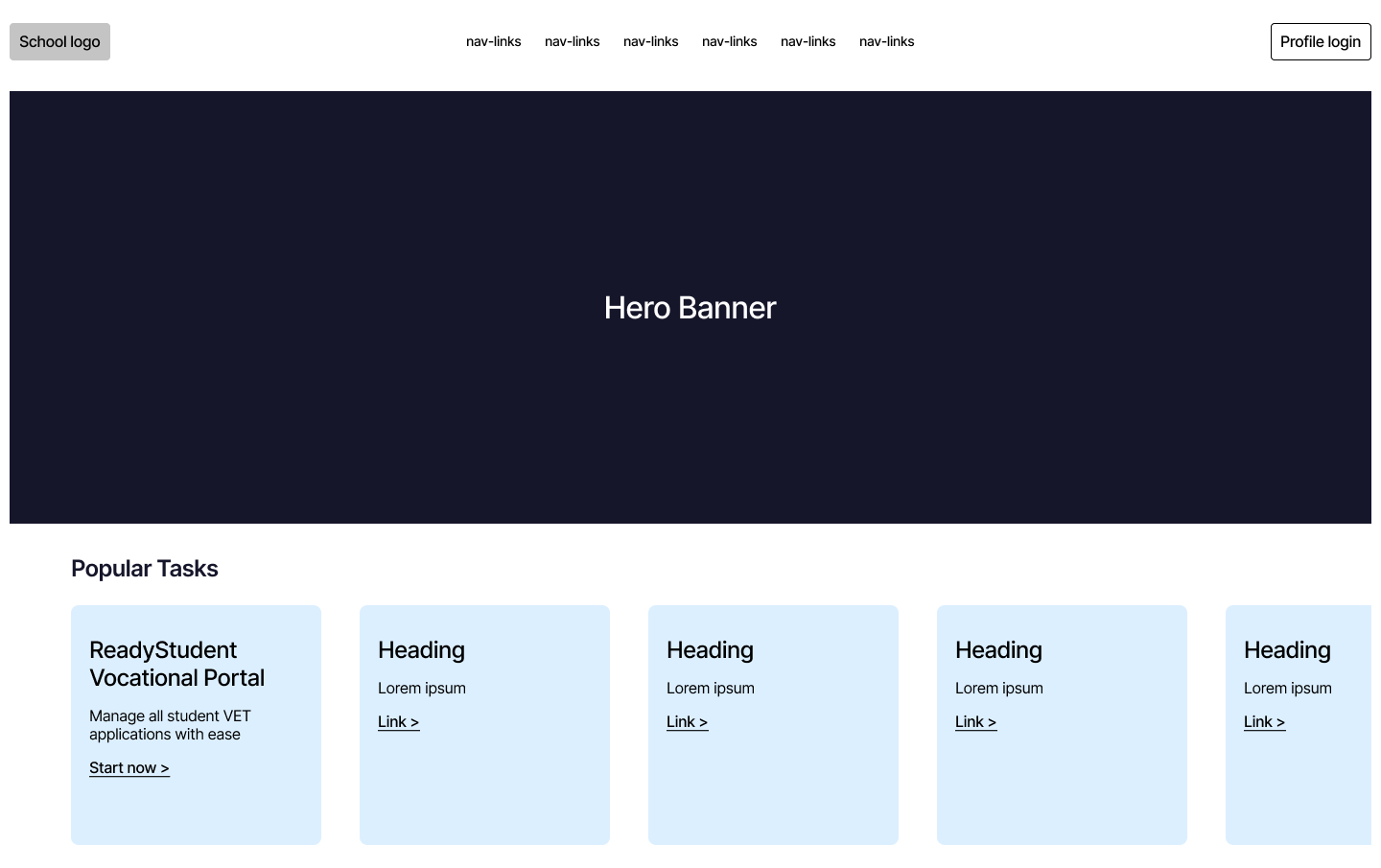
College Intranet Homepage
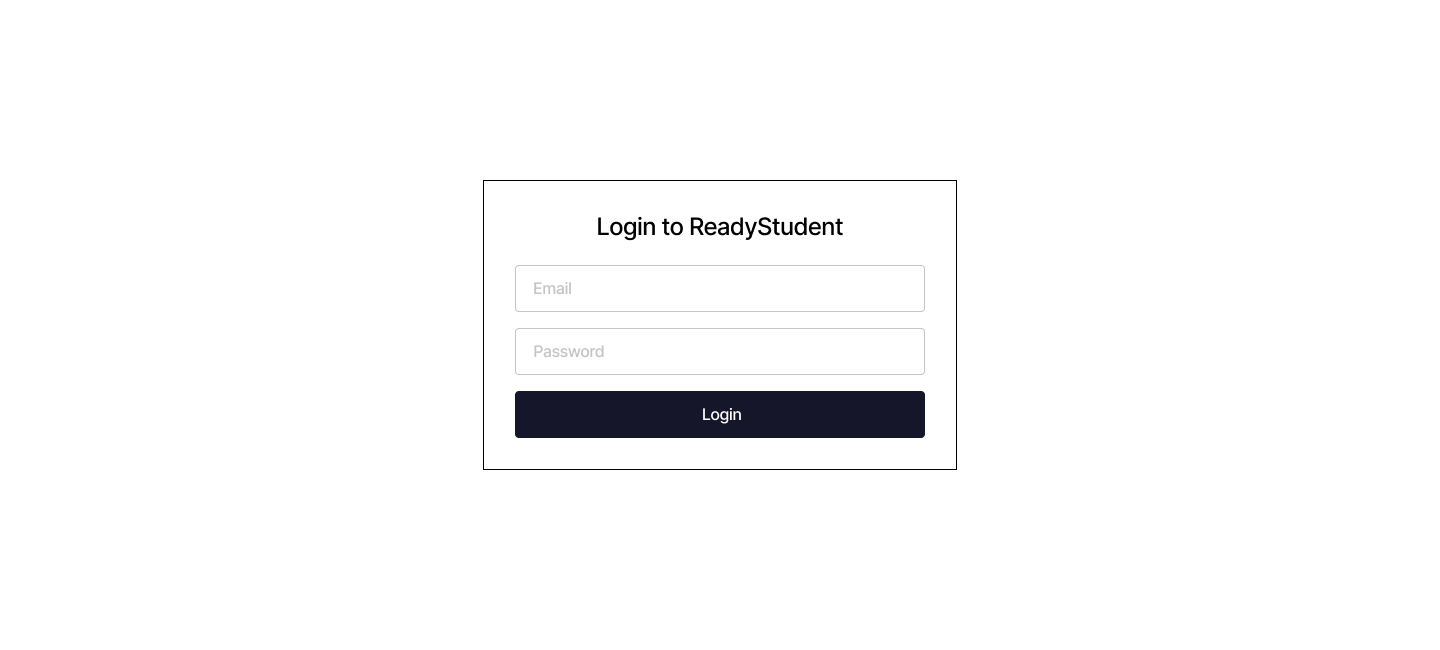
Portal Login
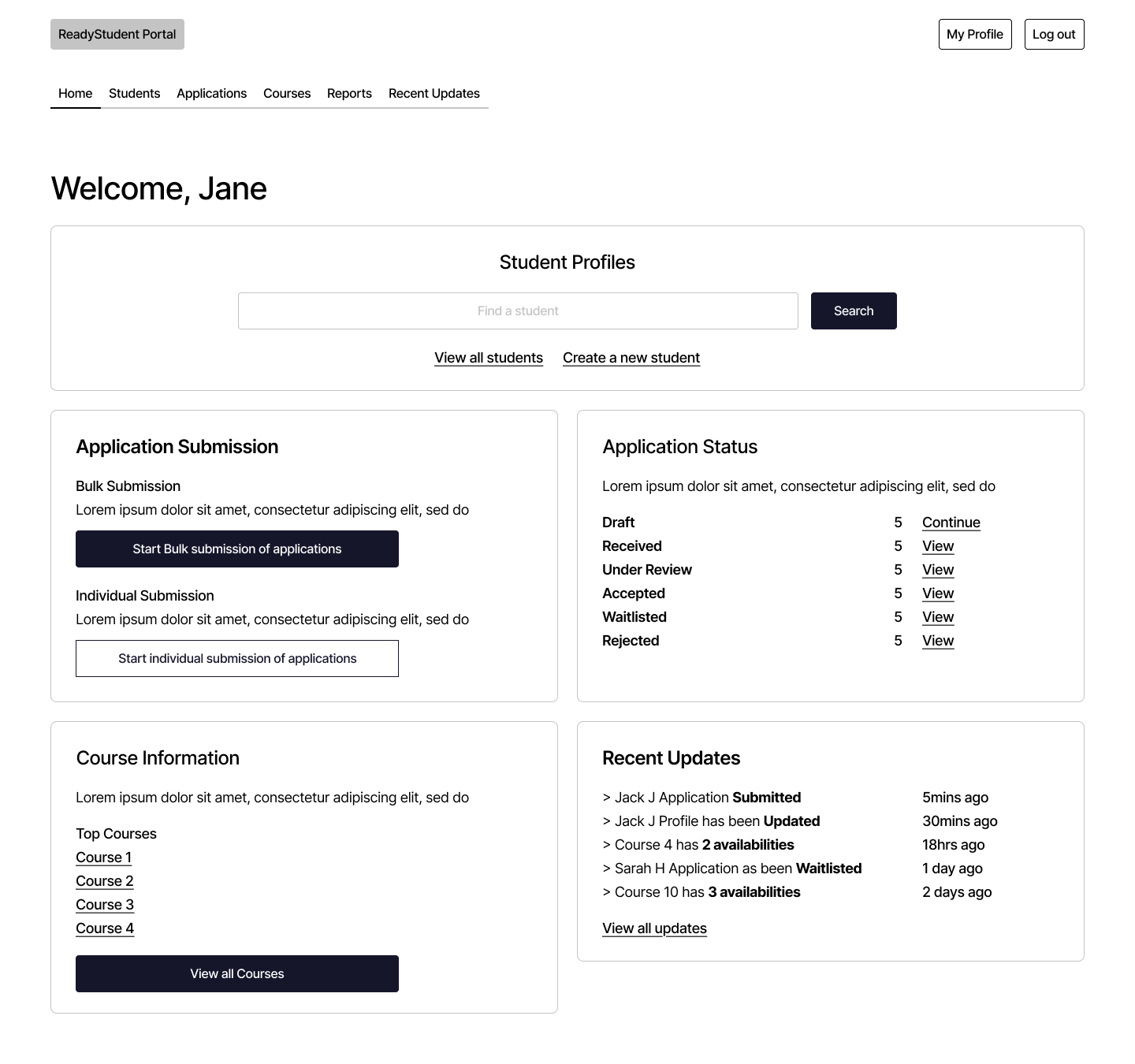
Portal Dashboard V1
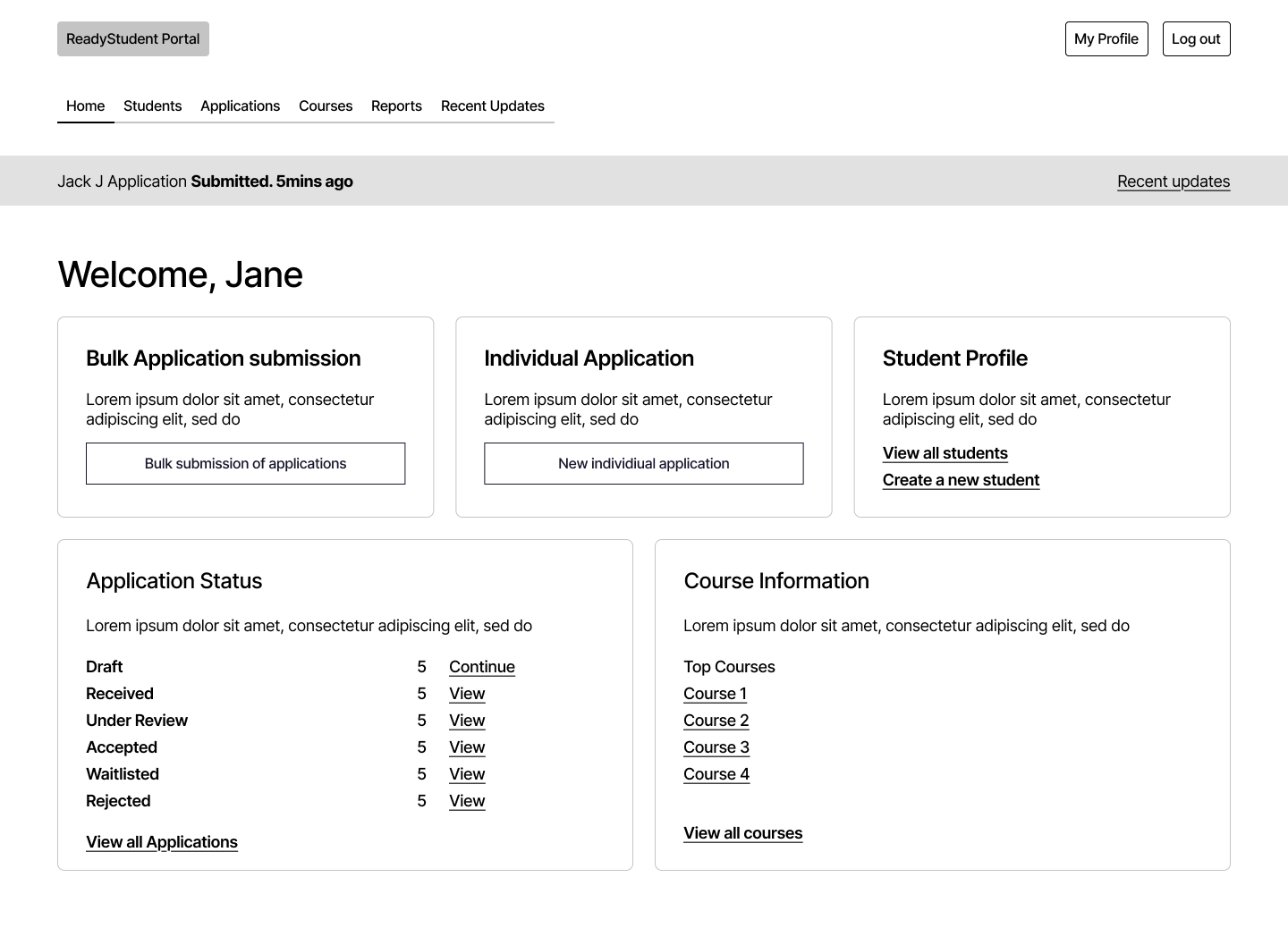
Portal Dashboard V2
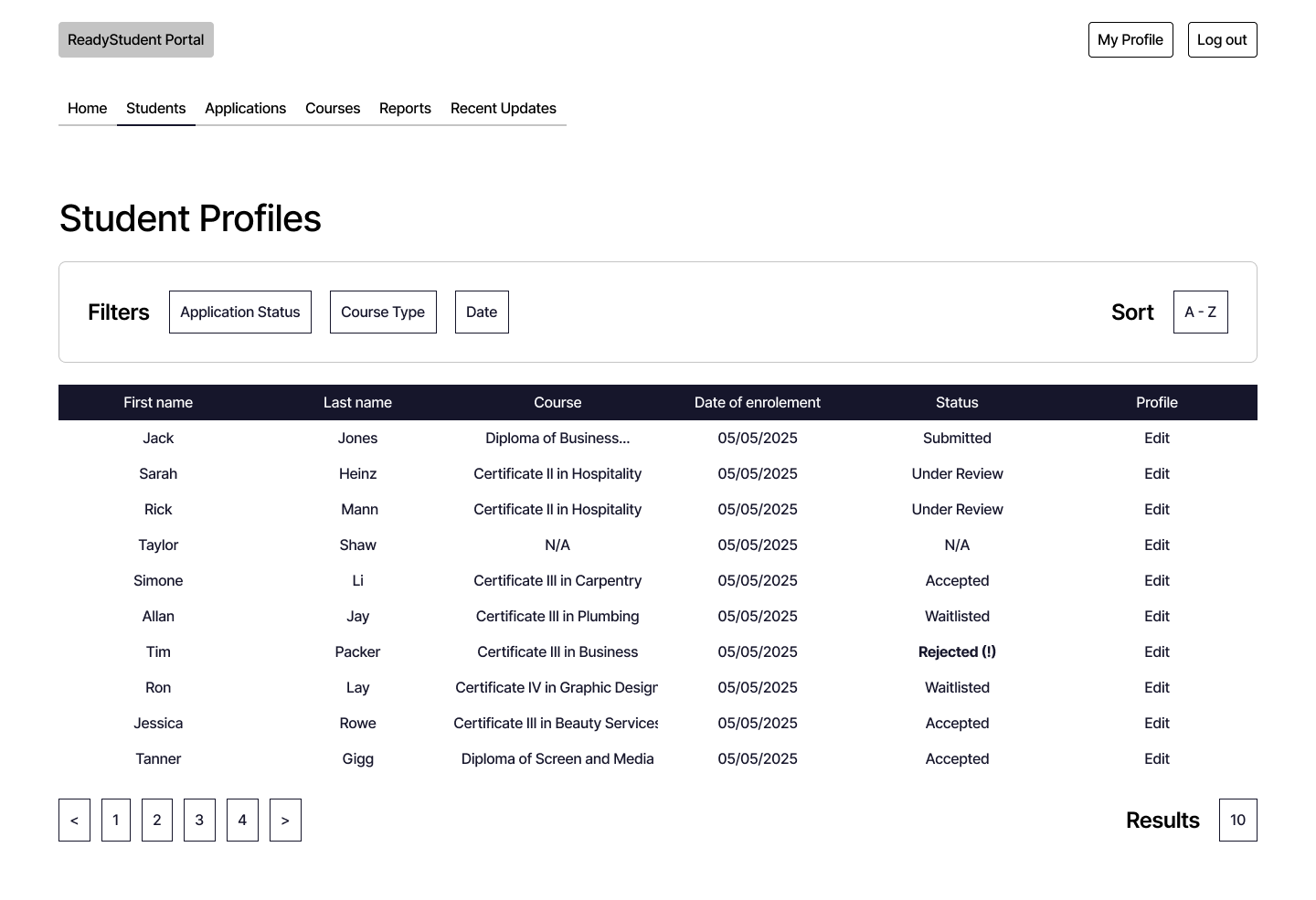
Student Profiles
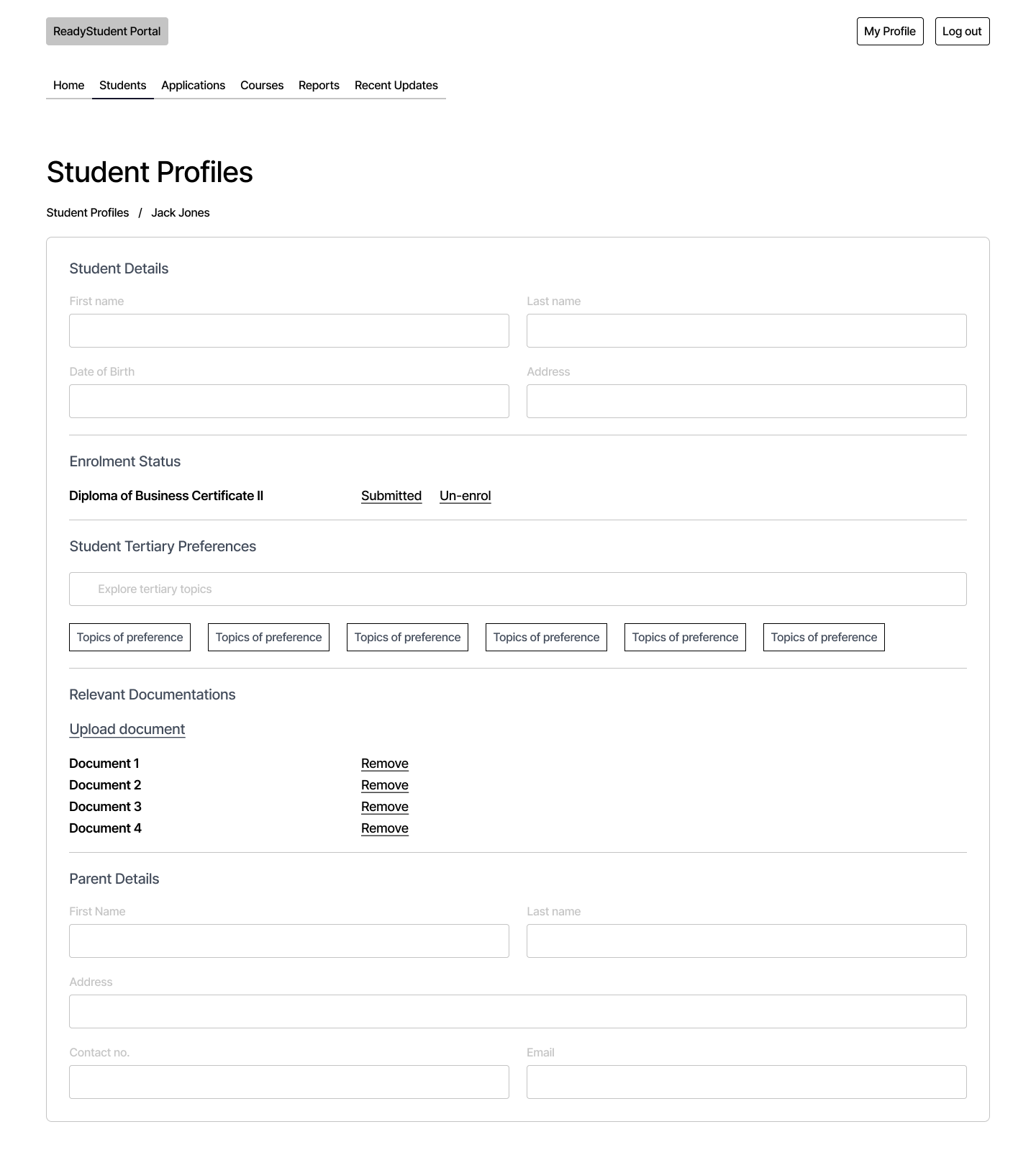
Individual Profile
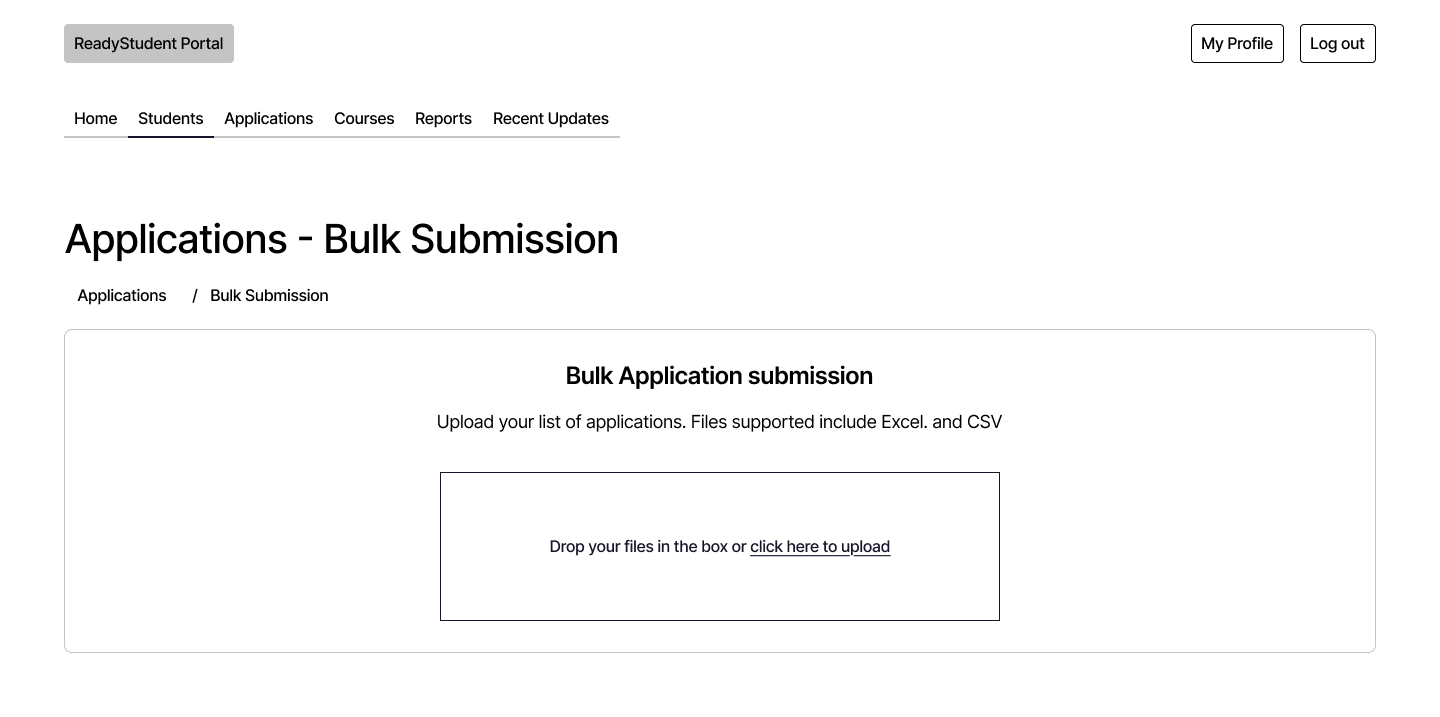
Bulk Application — Upload
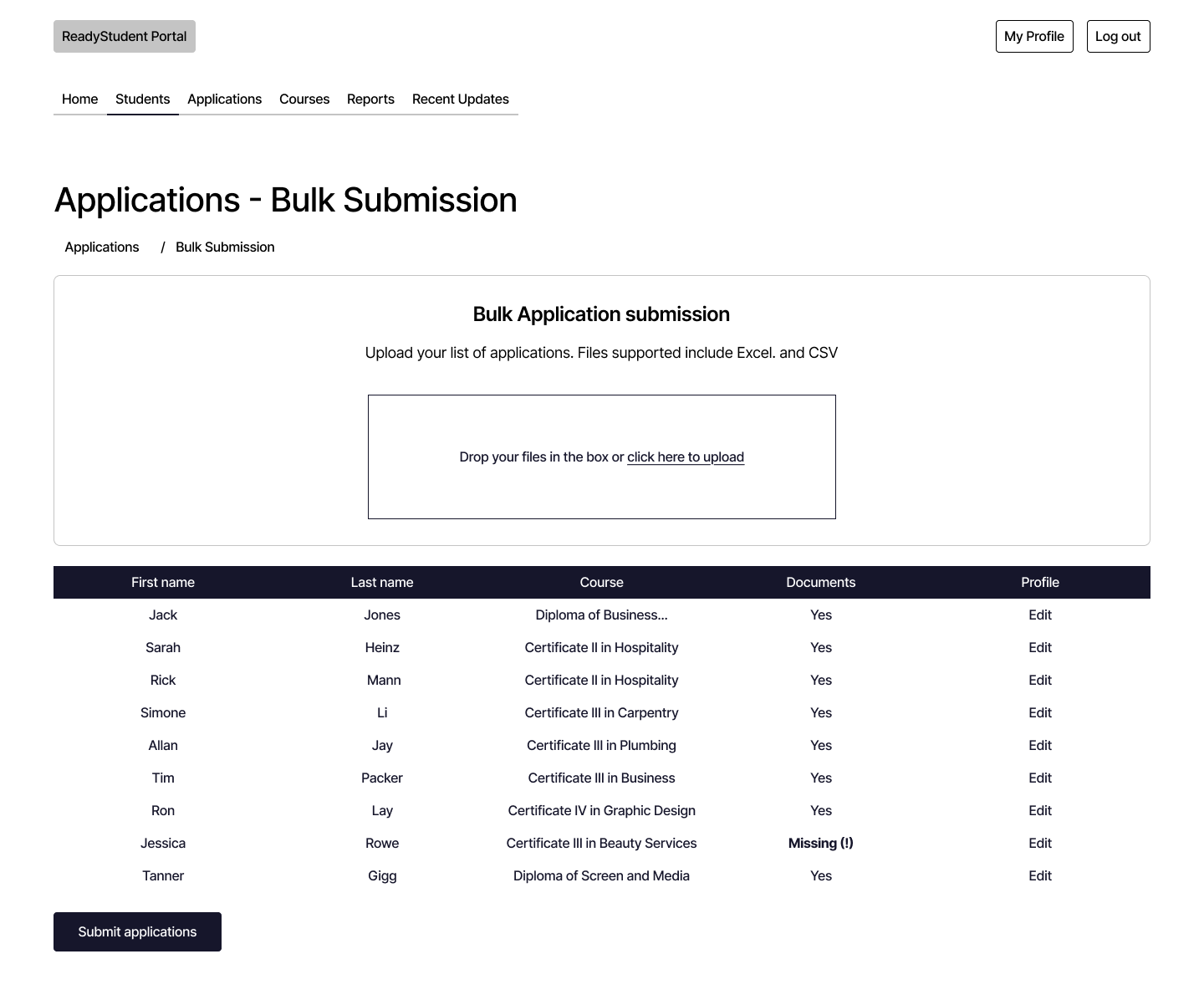
Bulk Application — Review
Individual Application
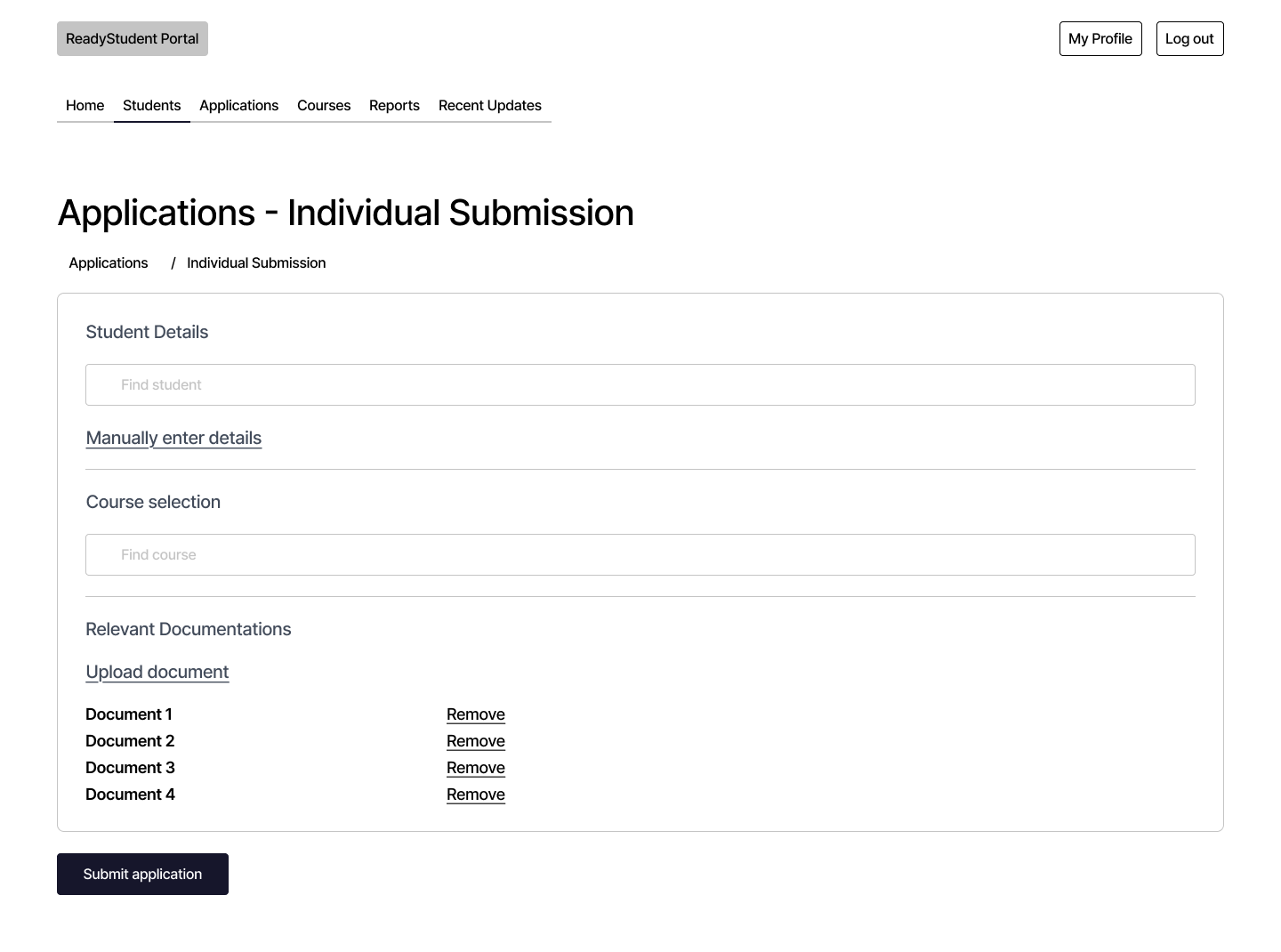
Detailed Design
Four screens from the mid-fidelity prototype — desktop-first, covering the core submission flows. Close enough to final to test assumptions.
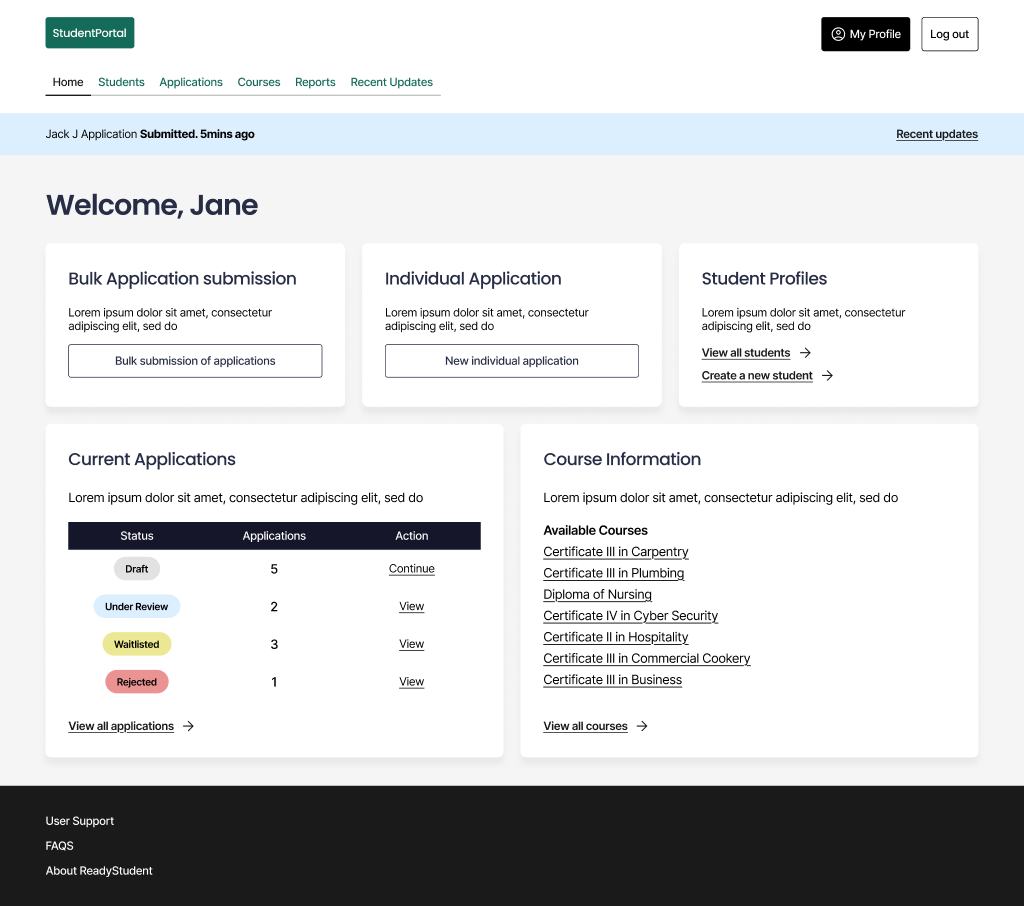
Dashboard
Three primary actions above the fold. Application status without navigating away from the home view.
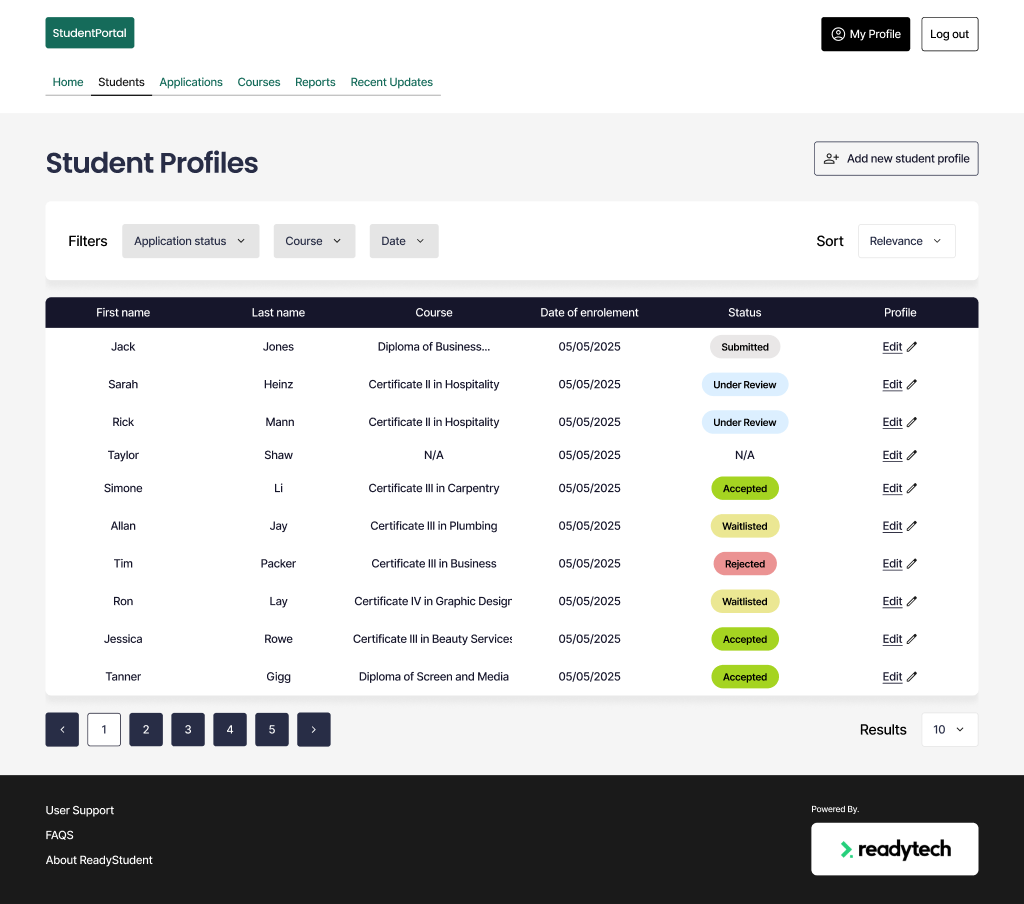
Student Profiles
Filterable, sortable cohort view — application status visible across every enrolment without digging.
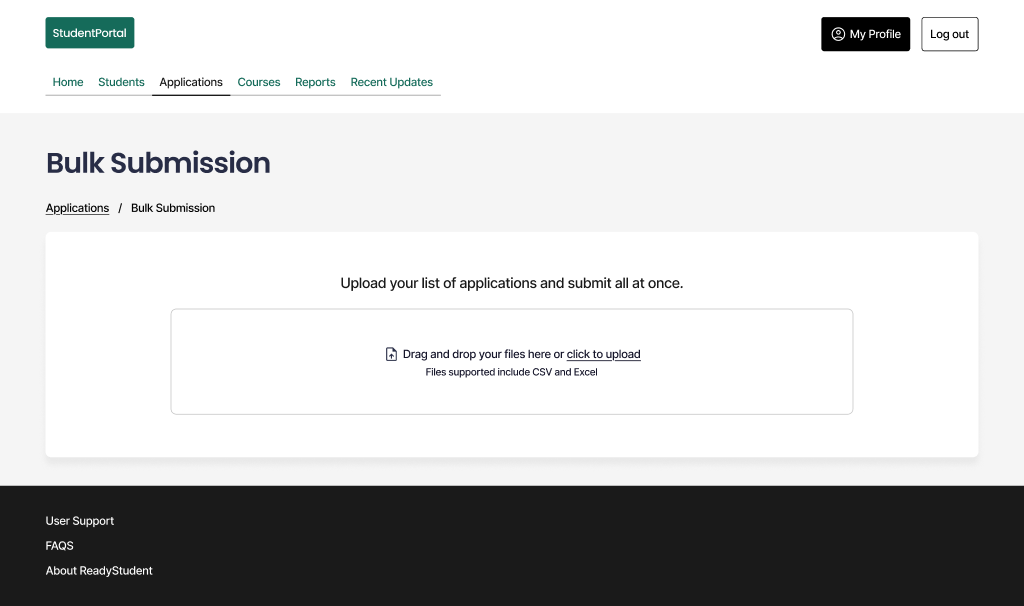
Bulk Upload
Upload a CSV or Excel export from the school's existing system — drag and drop or browse to file.
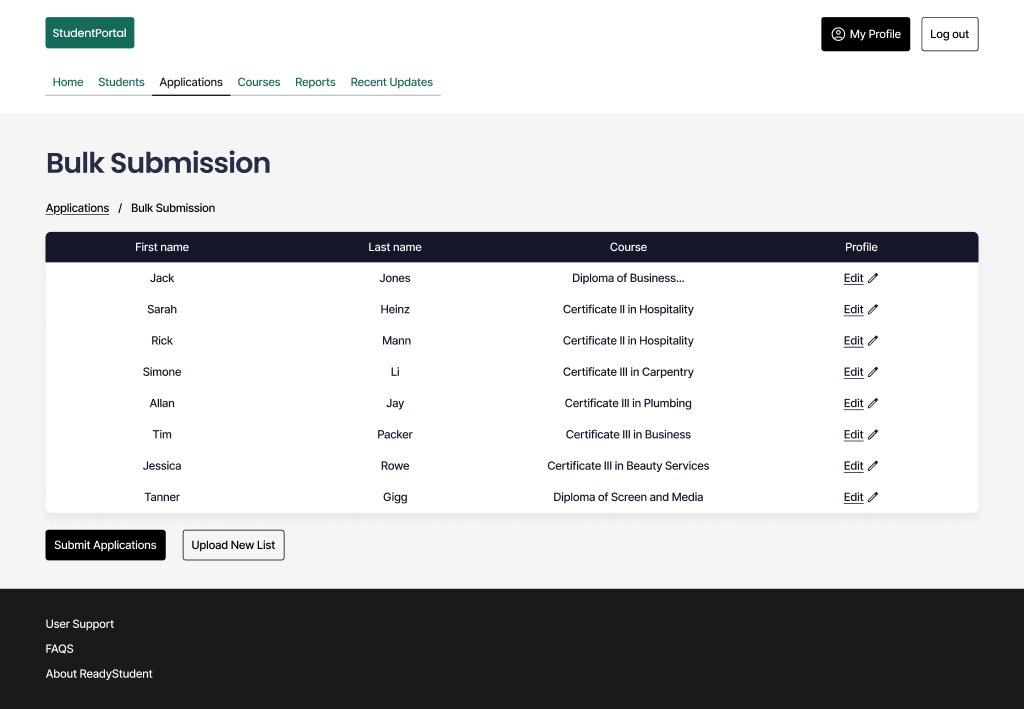
Bulk Submission
Review the full cohort in a table before submitting. Any errors surface inline before they reach the system.
Design Strengths
End-to-end flow mapped from school intranet through to TAFE submission — no gaps in the user journey
Action-oriented dashboard surfaces three primary tasks above the fold, without requiring nav literacy
Status visibility built into multiple surfaces — progress trackable at both dashboard and cohort level
CSV and Excel upload meets users at their existing tooling — no custom data entry required
Finite status taxonomy (Draft → Submitted → Under Review → Accepted / Waitlisted / Rejected) maps cleanly to a state machine
Open Considerations
Desktop-first at 1440px — responsive behaviour for tablet and mobile needs scoping before build
Login screen carries no school or TAFE branding — risk of low confidence for first-time users
Live data dependencies (activity feed, course sync) require an API coupling strategy with TAFE systems before implementation
Error states, loading states, and empty states not yet defined — required before build handoff
Bulk submission validation errors on malformed CSV rows need a resolution flow
The prototype covers the full submission flow — login through to TAFE handoff. Desktop-first, mid-fidelity.
Next Case Study